Realistic Video Call Screen Photo
A candid smartphone photo of a laptop screen at night, showing a video call preview over a study note app.
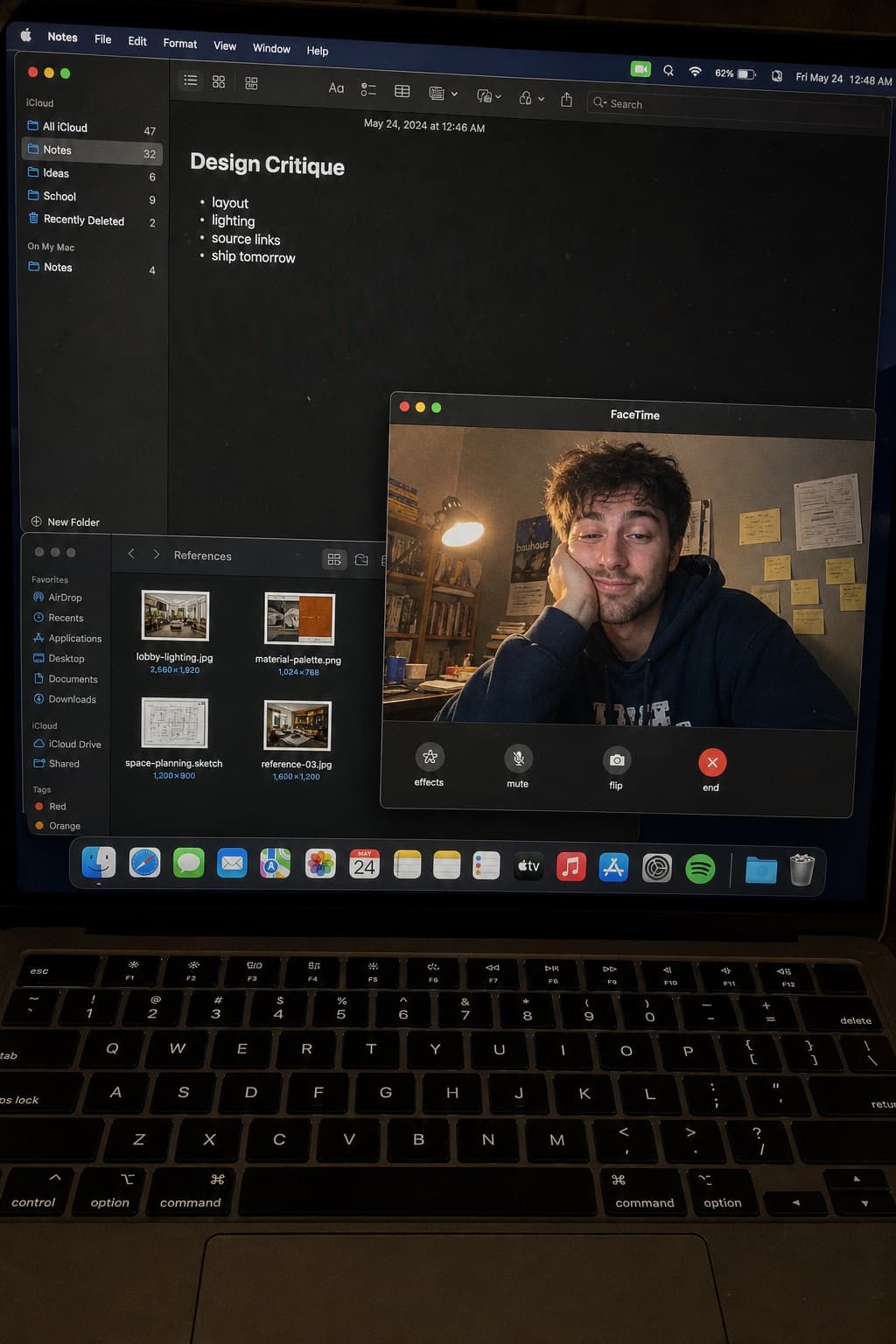
Image generated by us with gpt-image-2. Prompt by @kaanakz
Prompt
Create a raw smartphone photo of a laptop screen, not a screenshot. Aspect ratio 3:4, high-angle downward POV from someone standing over a desk at night. The laptop display fills most of the frame, with a narrow strip of black keyboard and trackpad visible at the bottom. Strong realism: visible RGB subpixel grid, subtle moiré bands, small dust specks, faint fingerprints, uneven glass reflections, handheld phone noise, slight perspective skew, no studio polish. [OS_NAME] dark mode. Background app: [NOTES_APP] with a late-night study note titled "[NOTE_TITLE]" and short visible bullets: [NOTE_BULLETS]. Foreground app: [VIDEO_CALL_APP] live preview window floating lower-right, showing a fictional adult man in his 20s sitting at a cluttered desk, hoodie, tired but amused expression, warm desk lamp behind him, books and sticky notes in the room. A second small [FILE_MANAGER_APP] window with image thumbnails is partly visible behind it. Make it feel like an accidental real phone photo of a working laptop screen. No real-person likeness, no beauty filter, no perfect UI, no screenshot, no watermark, no cartoon, no 3D render.
6 placeholders still empty. Copied as is, the generator will draw the brackets literally inside the image.
Editable variables
Change any value and the prompt rewrites above. Copy the finished result.
Name of the desktop operating system shown in dark mode.
Note-taking application displayed in the background window.
Title of the late-night study note visible on screen.
Short bullet points listed under the note title.
Video calling application shown in the foreground preview window.
File manager application window partially visible behind the video call.
Generate the image here
With your own OpenAI key. Free for us, and what you spend is yours.
Kept in this browser only and sent straight to OpenAI's API: it never passes through a server of ours, because there is no server of ours in between. Check it yourself in the network tab.
Fill in the remaining variables before generating, or the model will draw the brackets.