Tennis Fashion Campaign Triptych
A cinematic three-panel sports fashion campaign showcasing a tennis athlete in bold editorial poses with a luxury dark green and white palette.
Budget models do not render typography reliably; this case needs a higher tier.
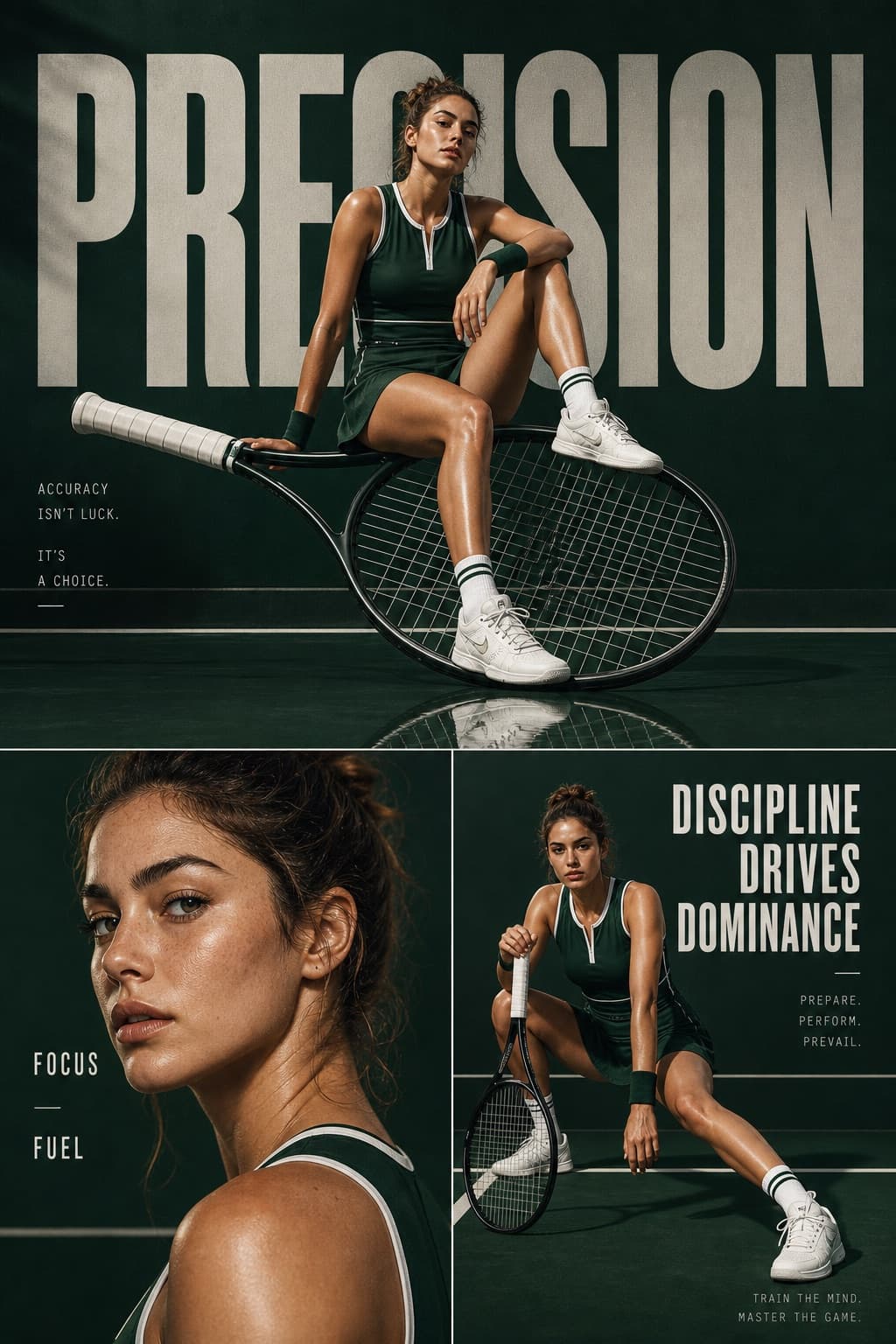
Image generated by us with gpt-image-2. Prompt by @AIwithkhan
Prompt
Cinematic sports fashion collage, 3-panel layout. Top panel: large hero shot of a female tennis athlete sitting confidently on an oversized tilted tennis racket, deep green luxury court backdrop, reflective glossy floor, bold oversized typography reading '[TAGLINE_MAIN]' in the background, dramatic editorial lighting, ultra-clean composition, high-fashion athletic aesthetic. Bottom left panel: close-up portrait of the athlete with glowing skin, minimal makeup, soft light, text '[TAGLINE_SECONDARY_1]' and '[TAGLINE_SECONDARY_2]' placed subtly. Bottom right panel: full-body crouched pose holding the racket, strong posture, text '[TAGLINE_BOTTOM]', grid-based layout lines, premium sports branding feel. Consistent color grading, dark green and white palette, sharp details, cinematic shadows, luxury campaign style, 1:1 aspect ratio.
4 placeholders still empty. Copied as is, the generator will draw the brackets literally inside the image.
Editable variables
Change any value and the prompt rewrites above. Copy the finished result.
Bold headline word displayed in the top panel background
First short word placed subtly near the close-up portrait
Second short word placed subtly near the close-up portrait
Motivational phrase displayed in the bottom right panel
Generate the image here
With your own OpenAI key. Free for us, and what you spend is yours.
Kept in this browser only and sent straight to OpenAI's API: it never passes through a server of ours, because there is no server of ours in between. Check it yourself in the network tab.
Fill in the remaining variables before generating, or the model will draw the brackets.