Stylized 3D Caricature Portrait
Turns a reference photo into a bold, studio-lit 3D caricature character with customizable accessories, outfit and background.
Budget models do not render typography reliably; this case needs a higher tier.
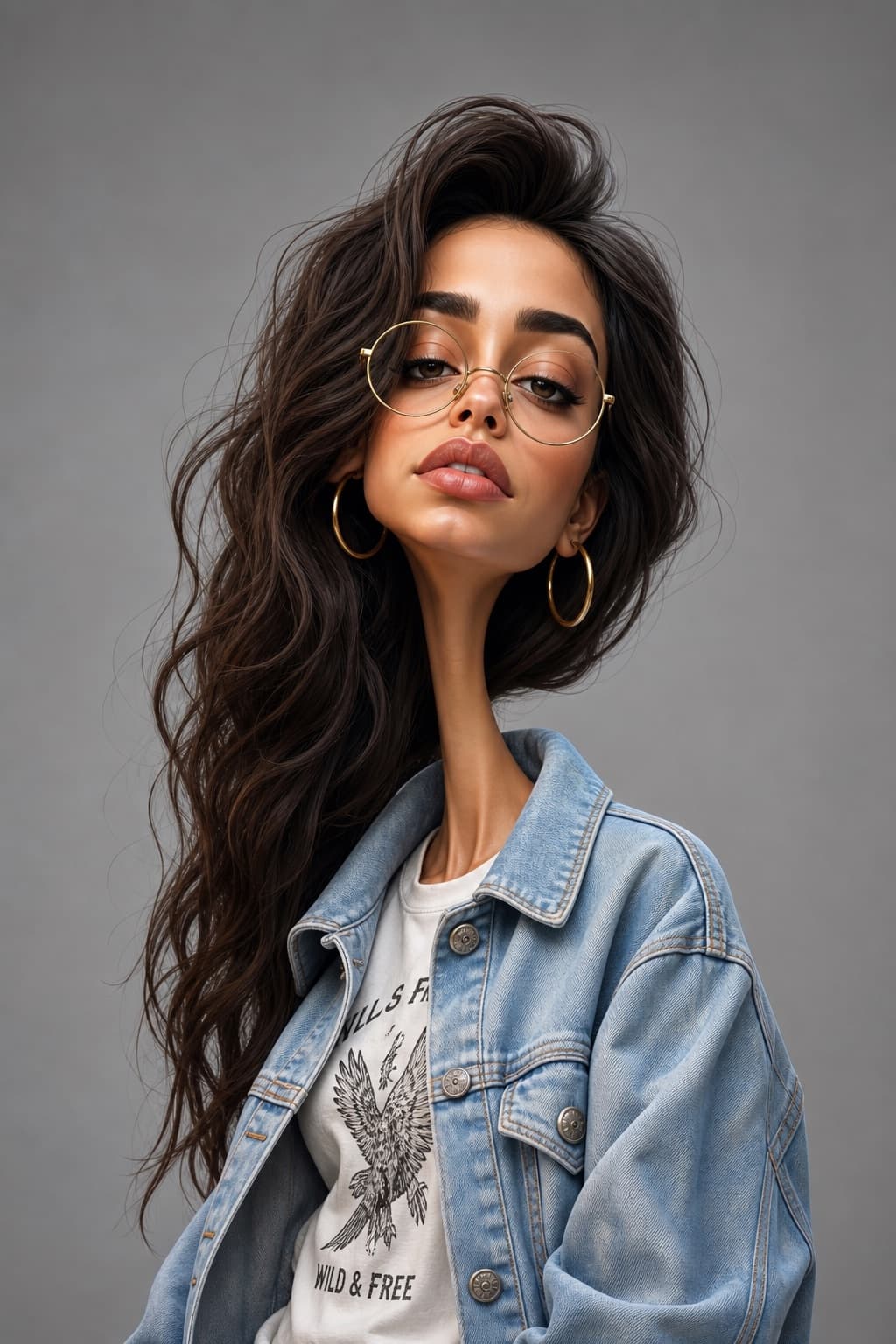
Image generated by us with gpt-image-2. Prompt by @Naiknelofar788
Prompt
Create an exaggerated stylized 3D caricature character portrait with strong intentional deformation and a clean, controlled surface finish. Use the person from the ATTACHED REFERENCE PHOTO. Preserve the subject's identity, facial likeness, skin tone, and defining features, but reinterpret them into a [CARICATURE_INTENSITY] caricatured 3D form with an elongated neck, oversized head-to-neck ratio, droopy eyelids, heavy lips, and slightly asymmetrical facial structure. Render as a human-like 3D character with smooth, studio-clean skin and intentionally designed detail, avoiding random texture or noise. Style the character with [ACCESSORY_ITEMS] and [CLOTHING_STYLE]. Use neutral studio lighting with soft shadows and even illumination, no dramatic contrast, against a plain [BACKGROUND_COLOR] background. The overall aesthetic should feel weird, fashion-forward, collectible, and character-driven rather than cute or realistic. Ultra high definition, premium cinematic 3D render quality, hyper-realistic rendering, clean materials, no freckles, no dirt, no grain, no noise, no speckling, no text, no logos, no watermarks. Aspect ratio 4:5.
4 placeholders still empty. Copied as is, the generator will draw the brackets literally inside the image.
Editable variables
Change any value and the prompt rewrites above. Copy the finished result.
How extreme the caricature deformation should be
Accessories the character wears, such as glasses, earrings or headwear
The clothing style and garments worn by the character
Flat studio background colour behind the character
Generate the image here
With your own OpenAI key. Free for us, and what you spend is yours.
Kept in this browser only and sent straight to OpenAI's API: it never passes through a server of ours, because there is no server of ours in between. Check it yourself in the network tab.
Fill in the remaining variables before generating, or the model will draw the brackets.