Raw Sketchy Companion Portrait Poster
A gritty, expressive poster portrait pairing a human subject with an animal companion, rendered in raw ink linework and a limited palette.
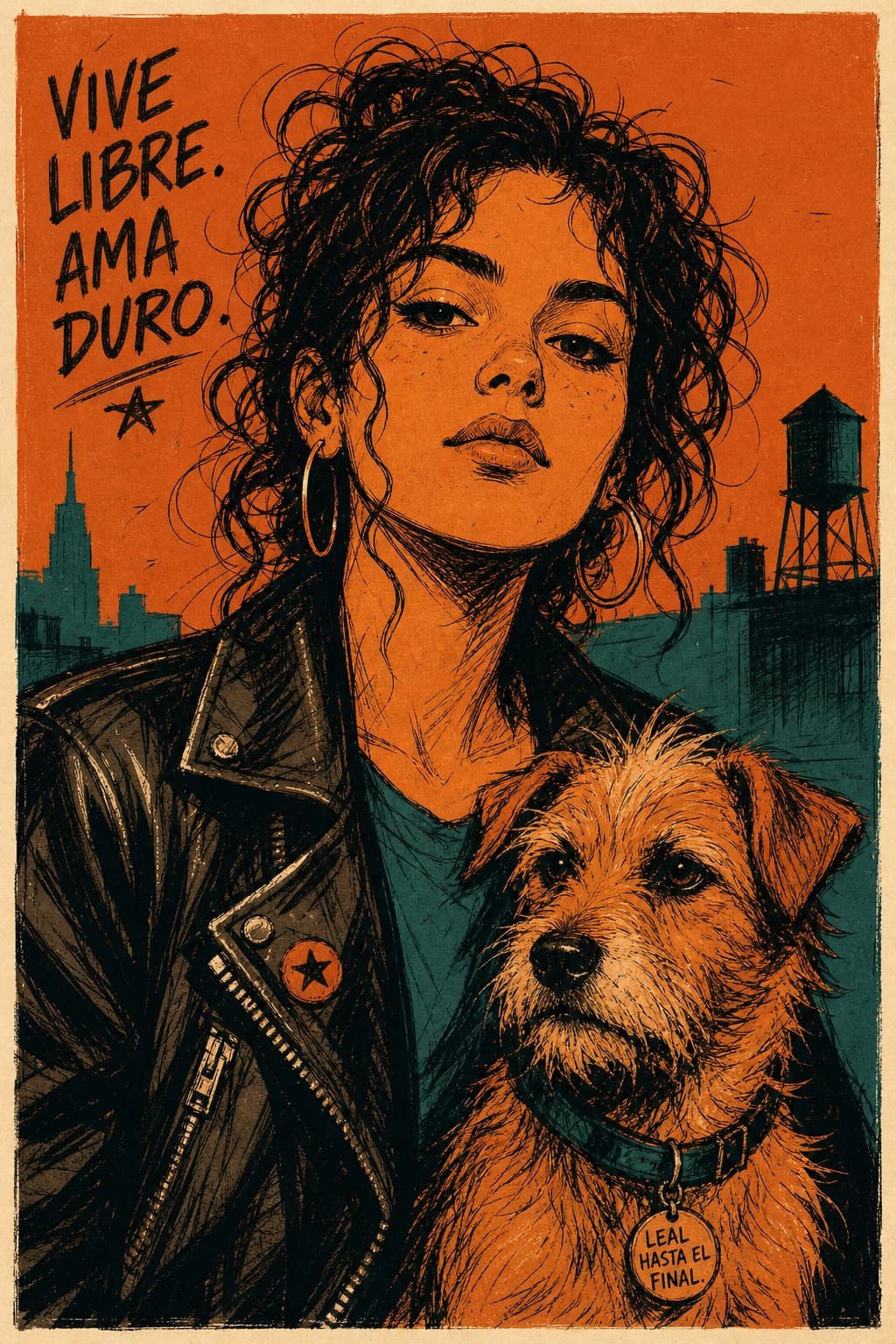
Image generated by us with gpt-image-2. Prompt by @kingofdairyque
Prompt
Raw, sketchy graphic portrait poster of [HUMAN] wearing [CLOTHING], shown half-body and large within the frame, accompanied closely by [ANIMAL], set against a minimal [SCENERY] background. Render in a rough, expressive illustrated style featuring broken black ink contours, loose sketch lines, scratchy hatching, irregular stroke weight, imperfect line edges, fast gestural mark-making, simplified anatomy, flat cel-like shadow blocks, and reduced detail overall. Use a restrained [COLORS] palette with one dominant warm field, one cool counter-field, dark inked shadows, and a few pale highlight accents. Keep the face oversized and centered, crop around the mid-torso, and place the animal in the lower foreground or tucked beside the subject, drawn with the same simplified raw linework. Reduce the scenery to only two or three bold silhouette shapes behind the subject, with no detailed environmental rendering. Add a narrow warm off-white poster border and a very light print texture. Aim for strong attitude, graphic poster energy, intentionally imperfect strokes, and a raw, sketchy finish. Aspect ratio 4:5.
5 placeholders still empty. Copied as is, the generator will draw the brackets literally inside the image.
Editable variables
Change any value and the prompt rewrites above. Copy the finished result.
Description of the human subject depicted in the portrait.
Outfit or clothing style worn by the subject.
Animal companion positioned near the subject.
Minimal background environment reduced to bold silhouette shapes.
Restrained color palette used across the illustration.
Generate the image here
With your own OpenAI key. Free for us, and what you spend is yours.
Kept in this browser only and sent straight to OpenAI's API: it never passes through a server of ours, because there is no server of ours in between. Check it yourself in the network tab.
Fill in the remaining variables before generating, or the model will draw the brackets.