Layered Editorial Brand Poster
A studio-lit editorial poster placing a brand's hero subject within a muted-palette grid of overlapping geometric blocks.
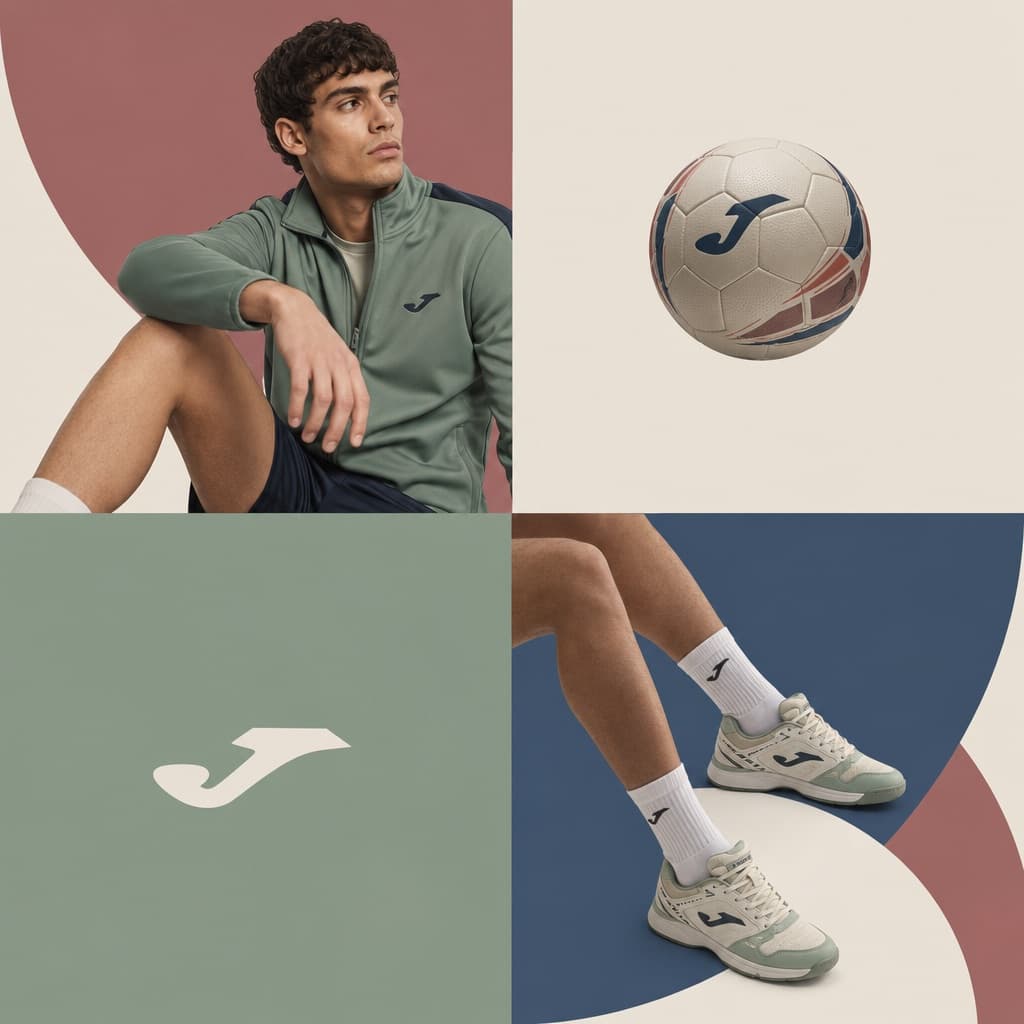
Image generated by us with gpt-image-2. Prompt by @iamaiistudio
Prompt
[BRAND NAME]. You are a world-class editorial designer.

STEP 1, DYNAMIC SUBJECT LOGIC:
- Subject selection: independently study [BRAND NAME] and choose the right hero subject for the composition.
- Sandwich layering: weave the subject through the background shapes. Parts of the car or figure must sit hidden behind geometric blocks, while other parts (wheels, limbs, props) overlap in front of those blocks to fake real three-dimensional depth.

STEP 2, GRID AND GEOMETRY:
- Layout: a clean 2x2 grid composition.
- Overlays: drop large bold geometric arcs and circles on top of the grid.
- Visual balance: place one iconic product prop (a floating key fob for cars, a ball for sports, etc.) in its own quadrant to counterweight the subject.

STEP 3, SOPHISTICATED MUTED PALETTE:
- No aggressive neon tones, no oversaturated colors.
- Pull [BRAND NAME]'s core colors and shift them into a sophisticated, muted range. Use desaturated, earthy, dusty versions of the brand colors (dusty rose instead of hot pink, sage green instead of bright mint, slate blue instead of royal blue).
- Finish: matte flat color blocks, zero gradients.

STEP 4, PHOTOGRAPHY AND LIGHTING:
- Subject style: high-end commercial studio photography.
- Lighting: soft diffused studio light, gentle highlights, no harsh shadows.
- Integration: the subject must feel physically embedded into the graphic grid.

STEP 5, MINIMALIST BRANDING:
- Drop a clean single-color [BRAND NAME] logo dead-center on one background block. No tagline, just the iconic symbol.
4 placeholders still empty. Copied as is, the generator will draw the brackets literally inside the image.
Editable variables
Change any value and the prompt rewrites above. Copy the finished result.
The brand whose identity, product, and color palette inspire the editorial poster design.
Generate the image here
With your own OpenAI key. Free for us, and what you spend is yours.
Kept in this browser only and sent straight to OpenAI's API: it never passes through a server of ours, because there is no server of ours in between. Check it yourself in the network tab.
Fill in the remaining variables before generating, or the model will draw the brackets.