Infografía de despiece técnico
Un despiece isométrico que combina render fotorrealista y anotaciones técnicas de cualquier producto, con llamadas codificadas por color.
Los modelos económicos no renderizan tipografía de forma fiable; este caso necesita un nivel superior.
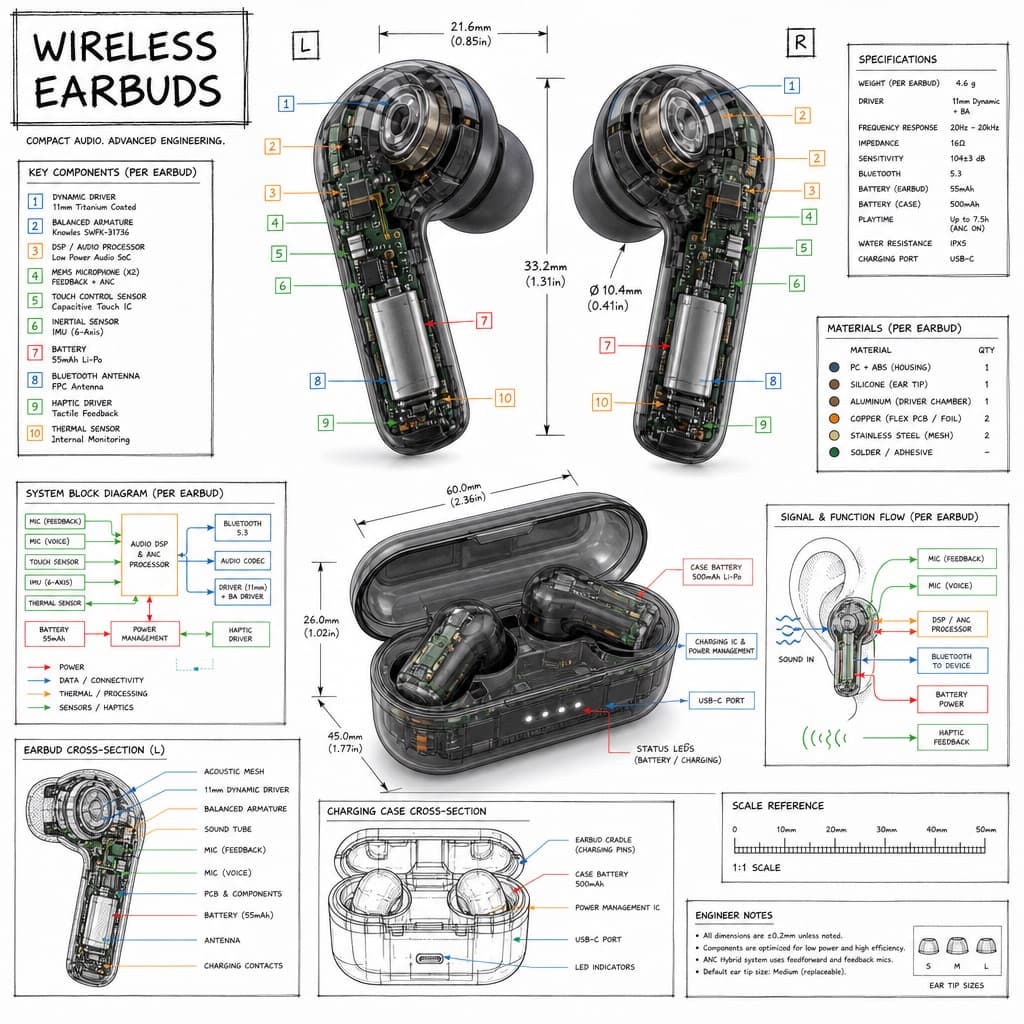
Imagen generada por nosotros con gpt-image-2. Prompt de @TechieBySA
Prompt
Create a technical infographic of [OBJECT] with a 45-degree isometric 3D perspective, the device slightly tilted to reveal depth and dimension. Combine a realistic photoreal render of [OBJECT] with black ink technical annotations on a pure white background. Include: key component labels with color-coded callout boxes; internal component visibility through transparent/cutaway sections; measurements, dimensions, and precise scale markers; material callouts and quantities; color-coded arrows for function/flow (red for power/battery, blue for data/connectivity, orange for thermal/processor, green for sensors/haptics); and simple schematics or cross-sectional diagrams where relevant. Place the title "[OBJECT]" in a hand-drawn technical box in the top-left corner. Style: black linework (technical pen/architectural), sketched but precise, with the object remaining clearly visible, evoking an educational museum-exhibit vibe with clean composition and balanced negative space. Perspective: isometric 3D angle, tilted to show depth, dimension, and internal architecture dramatically, like a professional product teardown or engineering manual. Colors: roughly 10-15% accent density, black dominant, white background. Output at 1080x1080, ultra-crisp, social-feed optimized.
Quedan 3 huecos sin rellenar. Si copias así, el generador dibujará los corchetes tal cual dentro de la imagen.
Variables editables
Cambia cualquier valor y el prompt se reescribe arriba. Copia el resultado ya listo.
El dispositivo o producto que se ilustrará como un despiece técnico
Genera la imagen aquí
Con tu propia clave de OpenAI. Gratis para nosotros, lo que gastes es tuyo.
Se guarda solo en este navegador y va directa a la API de OpenAI: no pasa por ningún servidor nuestro, porque no hay ninguno en medio. Puedes comprobarlo en la pestaña de red del inspector.
Rellena las variables que quedan antes de generar: si no, el modelo dibujará los corchetes.