Personaje 3D estilizado a partir de una foto
Convierte una foto de referencia en un personaje 3D estilizado de cuerpo entero, conservando identidad y colores de ropa.
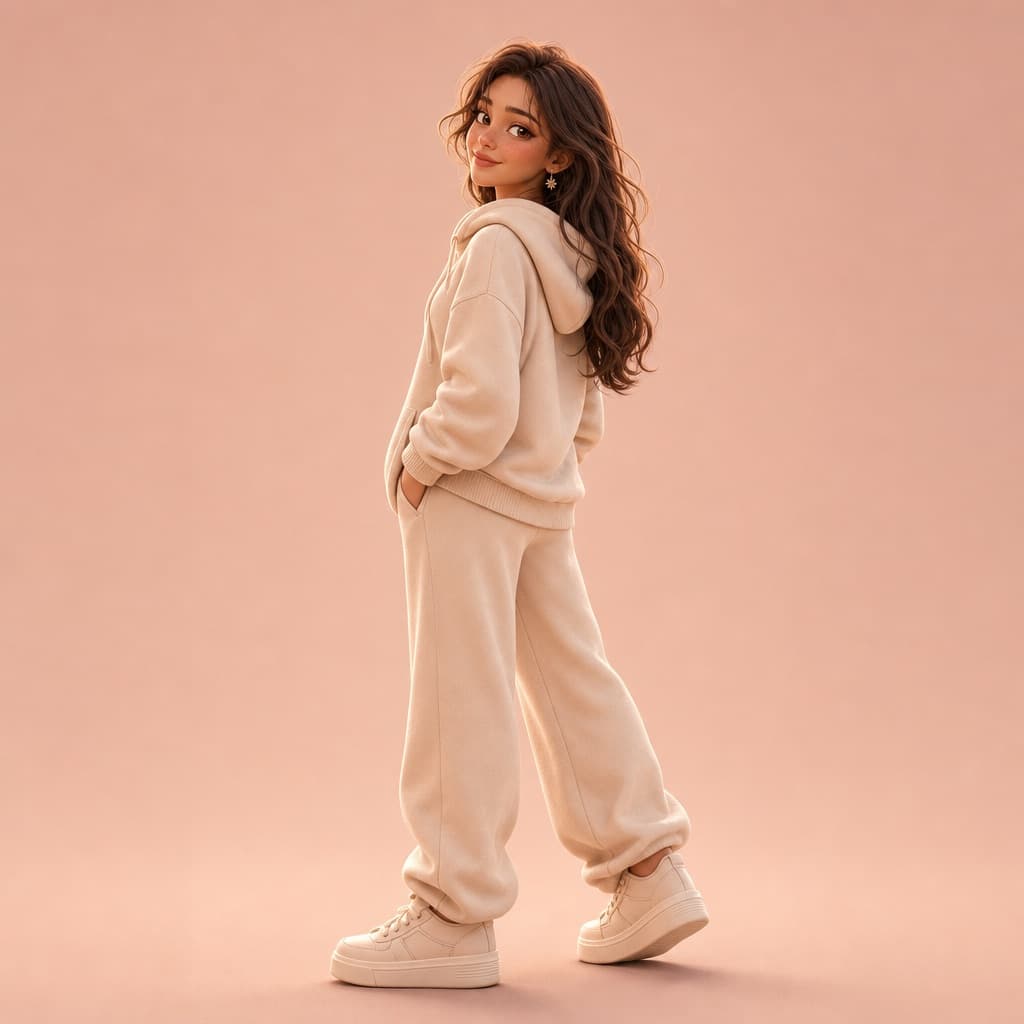
Imagen generada por nosotros con gpt-image-2. Prompt de @kaanakz
Prompt
Using the provided reference photo as the primary source for identity, clothing colors, and visual attributes, create a full-body 3D stylized anthropomorphic cartoon version of the character. Preserve facial structure, body proportions, silhouette, and distinctive traits exactly as in the reference photo. The outfit must match the clothing colors from the reference photo -- extract and apply the exact dominant and secondary colors to a [CLOTHING_STYLE] outfit including a hoodie, pants, and sneakers. Do not introduce new colors and do not default to unrelated bright tones unless they exist in the reference photo. Pose the character in a [POSE_DESCRIPTION]. Use a minimal studio background in the dominant background color sampled from the reference photo, or a harmonized tone derived from it. Render in [RENDER_STYLE] with soft studio lighting, smooth shadows, high-detail fabric texture, ultra-clean composition, centered framing, 8K resolution. Enforce strict color adherence to the reference photo with no automatic color substitution.
Quedan 3 huecos sin rellenar. Si copias así, el generador dibujará los corchetes tal cual dentro de la imagen.
Variables editables
Cambia cualquier valor y el prompt se reescribe arriba. Copia el resultado ya listo.
La categoría de estilo del atuendo aplicado al personaje
Cómo está posado el personaje en el render final
El estilo de renderizado 3D aplicado al personaje
Genera la imagen aquí
Con tu propia clave de OpenAI. Gratis para nosotros, lo que gastes es tuyo.
Se guarda solo en este navegador y va directa a la API de OpenAI: no pasa por ningún servidor nuestro, porque no hay ninguno en medio. Puedes comprobarlo en la pestaña de red del inspector.
Rellena las variables que quedan antes de generar: si no, el modelo dibujará los corchetes.