Ficha de producto de mobiliario
Una composición dividida que muestra las vistas de una mesa y sus muestras de materiales para una ficha de catálogo de mobiliario.
Los modelos económicos no renderizan tipografía de forma fiable; este caso necesita un nivel superior.
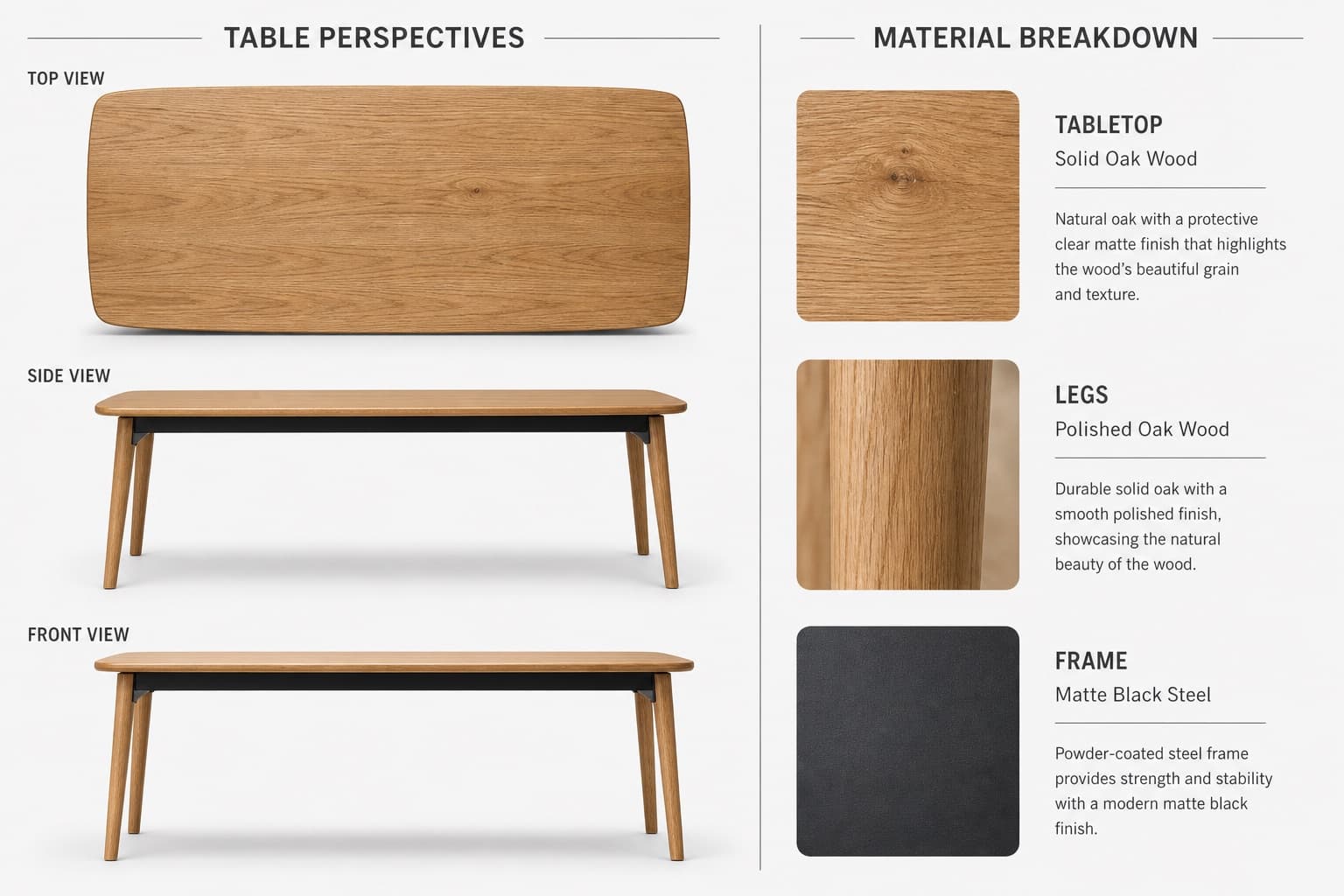
Imagen generada por nosotros con gpt-image-2.
Prompt
Create a high-quality, realistic 3D product showcase for a table using a split-view layout with a 3:2 or 4:3 aspect ratio, set against a neutral light gray or white background.

Left side — Table Perspectives:
- Top-down view: full tabletop shape, surface texture, and edge details
- Side view: leg design, table height, and tabletop thickness
- Front view: width, symmetry, and leg alignment
Use consistent lighting with subtle shadows for realism.

Right side — Material Breakdown:
- Tabletop: [WOOD_TYPE], with a close-up wood texture swatch and a clean sans-serif label
- Legs: [LEG_MATERIAL], with a material texture swatch and consistent labeling
- Frame: [FRAME_COLOR] steel, with a small metallic texture swatch and minimalist annotation

Separate the two sections with a vertical dividing line or a subtle split background. Use natural tones for the materials and grayscale for the backgrounds and lines. Use a modern, readable font for labels and section titles. Output as a high-resolution image suitable for a product sheet, interior design catalog, or furniture showcase.
Quedan 3 huecos sin rellenar. Si copias así, el generador dibujará los corchetes tal cual dentro de la imagen.
Variables editables
Cambia cualquier valor y el prompt se reescribe arriba. Copia el resultado ya listo.
El material de madera utilizado para la superficie de la mesa mostrado en la muestra.
El material utilizado para las patas de la mesa mostrado en el desglose de materiales.
El color de acabado del marco de acero mostrado en el desglose de materiales.
Genera la imagen aquí
Con tu propia clave de OpenAI. Gratis para nosotros, lo que gastes es tuyo.
Se guarda solo en este navegador y va directa a la API de OpenAI: no pasa por ningún servidor nuestro, porque no hay ninguno en medio. Puedes comprobarlo en la pestaña de red del inspector.
Rellena las variables que quedan antes de generar: si no, el modelo dibujará los corchetes.