Tipografía metálica cultural
Un diseño tipográfico 3D metálico y cinematográfico donde cada letra del nombre de un país representa un símbolo cultural único.
Los modelos económicos no renderizan tipografía de forma fiable; este caso necesita un nivel superior.
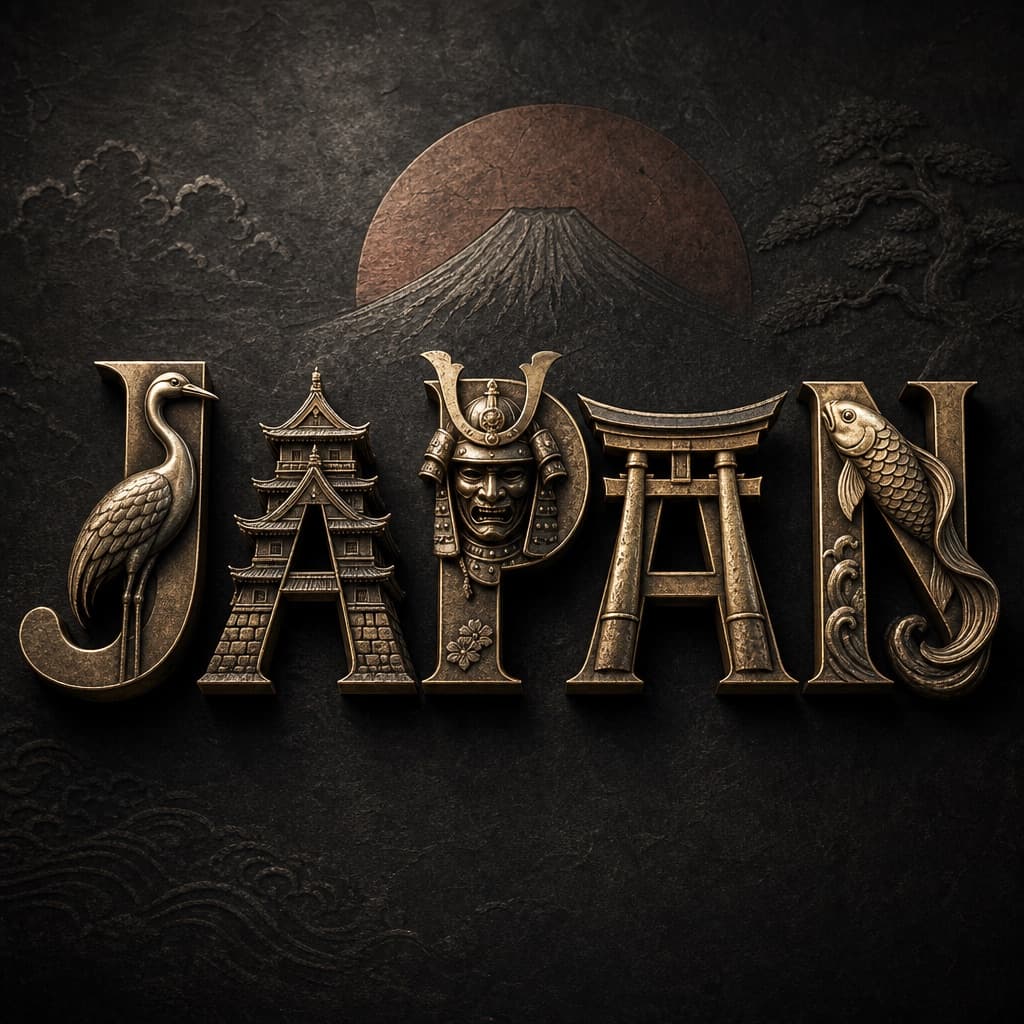
Imagen generada por nosotros con gpt-image-2. Prompt de @aleenaamiir
Prompt
A high-quality 3D metallic typography design of the word [COUNTRY NAME], set against a dark, textured background that complements the identity of [COUNTRY NAME], creating a cinematic, premium visual tone.

Each individual letter is uniquely designed to represent a distinct cultural element, tradition, landmark, or national symbol from [COUNTRY NAME], intelligently adapted to the letter's shape while maintaining perfect readability.

Cultural elements may include (but are not limited to):
– iconic architecture or monuments
– traditional patterns, textiles, or crafts
– national sports or tools
– folklore, heritage symbols, or historical motifs
– nature elements strongly associated with the country

No two letters repeat the same cultural reference — every letter tells a different cultural story.

The typography features polished metallic material in [COLOR], realistic reflections, fine engravings, and subtle surface wear for authenticity.

Dramatic studio lighting with soft rim highlights and deep shadows enhances depth and form.

Ultra-sharp focus, premium 3D render quality, cinematic depth, luxury branding aesthetic, ultra-high resolution.
Quedan 4 huecos sin rellenar. Si copias así, el generador dibujará los corchetes tal cual dentro de la imagen.
Variables editables
Cambia cualquier valor y el prompt se reescribe arriba. Copia el resultado ya listo.
El país cuyo nombre y cultura se representarán en la tipografía
El tono metálico aplicado a las letras, además de oro o plata
Genera la imagen aquí
Con tu propia clave de OpenAI. Gratis para nosotros, lo que gastes es tuyo.
Se guarda solo en este navegador y va directa a la API de OpenAI: no pasa por ningún servidor nuestro, porque no hay ninguno en medio. Puedes comprobarlo en la pestaña de red del inspector.
Rellena las variables que quedan antes de generar: si no, el modelo dibujará los corchetes.