Retrato de café años 70
Un retrato de moda cinematográfico de estilo vintage de una mujer en los escalones de un café, personalizable en cabello, tono de piel y colores del atuendo.
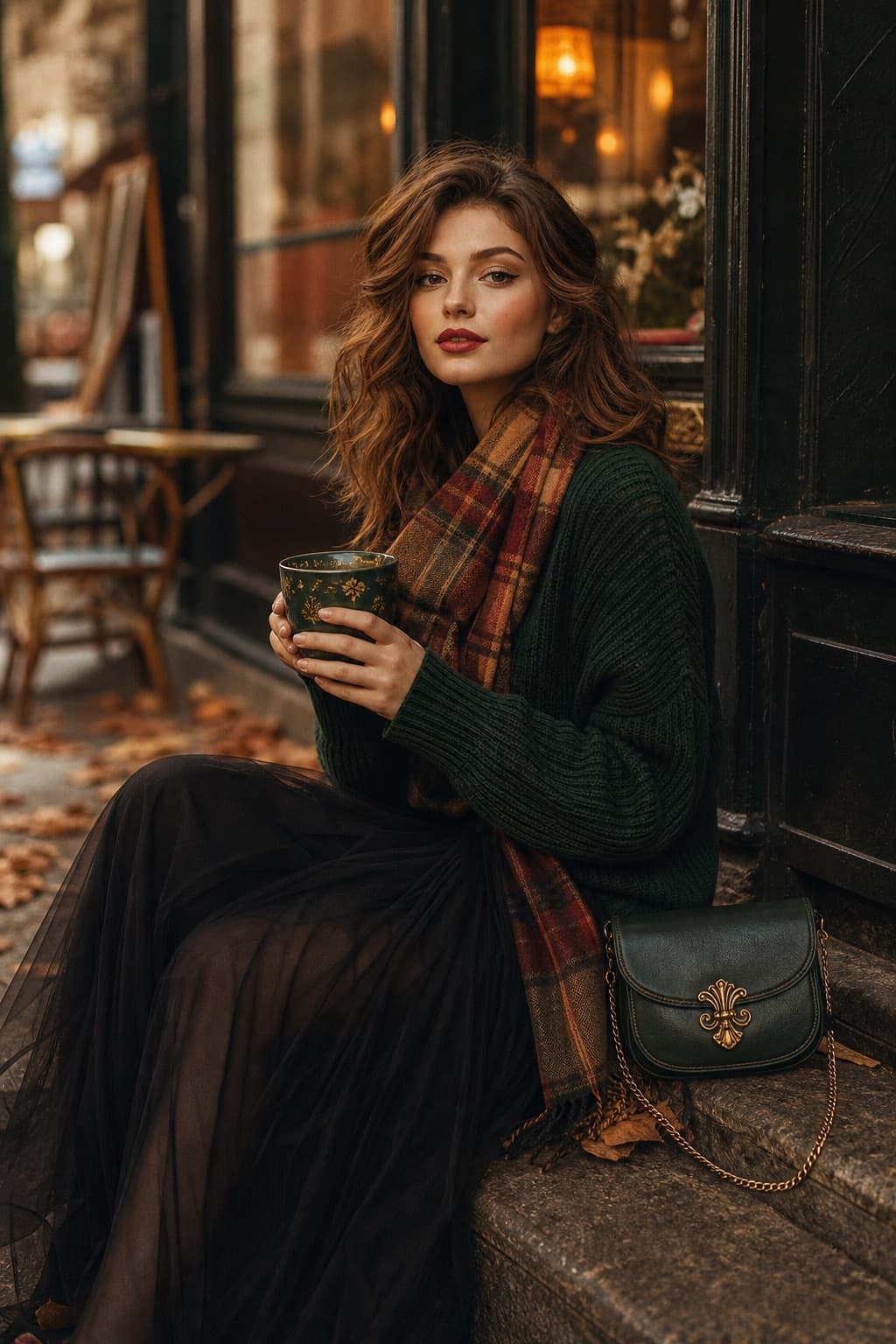
Imagen generada por nosotros con gpt-image-2. Prompt de @me_Aarvi
Prompt
A cinematic 1970s-inspired fashion portrait of a graceful young woman with [SKIN_TONE] skin and [HAIR_STYLE] hair, seated on worn stone steps outside a cozy street café. She holds an ornate [CUP_COLOR] ceramic coffee cup with delicate gold rim accents, gently resting it in her hands as she gazes softly toward the camera with calm confidence. Her expression feels serene, thoughtful, and timeless. Makeup reflects 1970s elegance: matte [LIP_COLOR] lips, subtle winged eyeliner, warm-toned blush, and softly defined brows. She wears a luxurious [SWEATER_COLOR] knitted sweater with a relaxed fit, paired with a flowing [SKIRT_COLOR] tulle skirt that moves lightly with the air. A warm plaid scarf in [SCARF_COLORS] is draped casually around her neck. Beside her rests a premium [BAG_COLOR] leather crossbody bag with gold filigree hardware and a delicate chain strap. The background features an autumn café street with scattered fallen leaves, glowing amber lights behind glass windows, and a soft urban stillness. Shot with an 85mm lens at f/1.8, shallow depth of field, warm analog film grain, muted earthy palette, dreamy cinematic mood, ultra-realistic fashion editorial photography inspired by classic 1970s film aesthetics.
Quedan 8 huecos sin rellenar. Si copias así, el generador dibujará los corchetes tal cual dentro de la imagen.
Variables editables
Cambia cualquier valor y el prompt se reescribe arriba. Copia el resultado ya listo.
Tono de piel de la mujer
Color y estilo de cabello
Color de la taza de café de cerámica
Tono del labial
Color del suéter de punto
Color de la falda de tul
Paleta de colores del pañuelo a cuadros
Color del bolso de piel cruzado
Genera la imagen aquí
Con tu propia clave de OpenAI. Gratis para nosotros, lo que gastes es tuyo.
Se guarda solo en este navegador y va directa a la API de OpenAI: no pasa por ningún servidor nuestro, porque no hay ninguno en medio. Puedes comprobarlo en la pestaña de red del inspector.
Rellena las variables que quedan antes de generar: si no, el modelo dibujará los corchetes.