Showroom Merch Drop Still Life
Premium still-life showroom photograph announcing a limited brand merch drop with styled apparel, stacked products, and clean logo overlay.
Budget models do not render typography reliably; this case needs a higher tier.
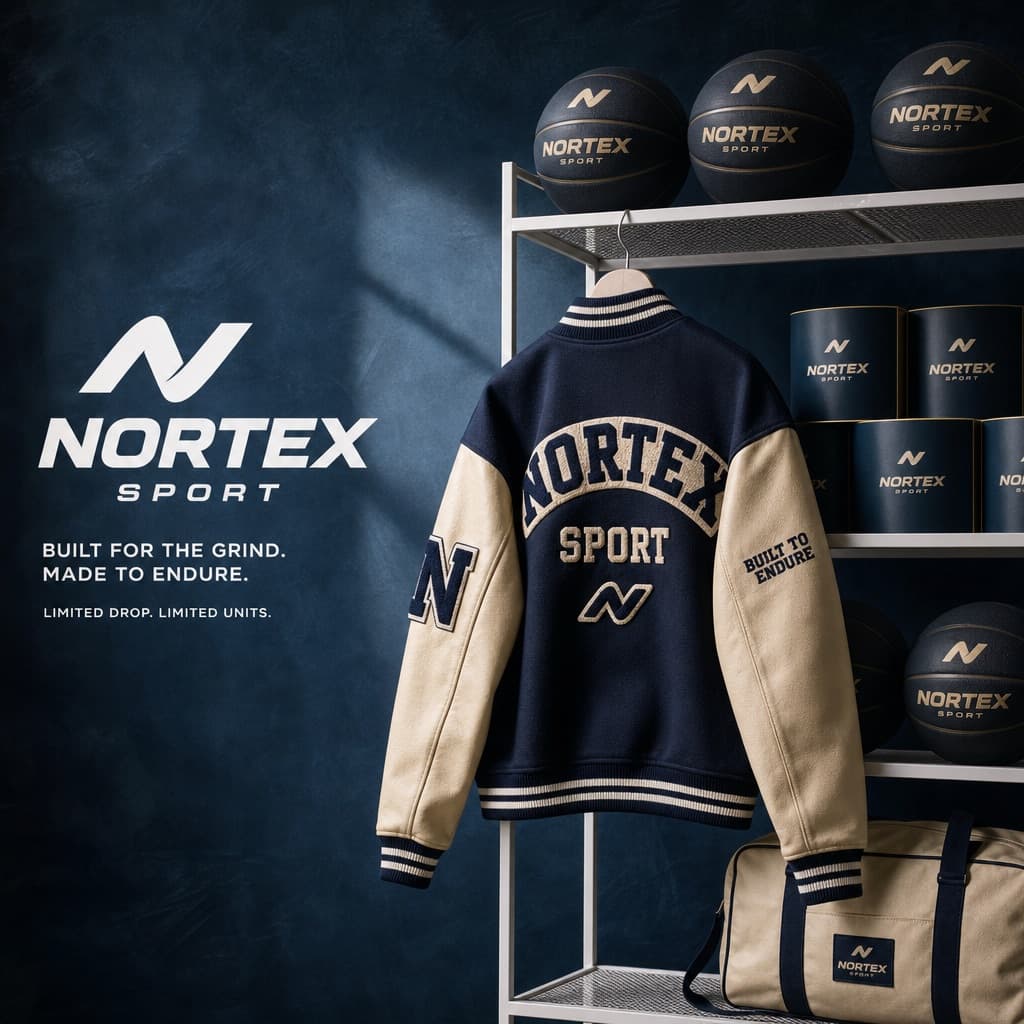
Image generated by us with gpt-image-2.
Prompt
You are a Creative Director and still-life photographer for a high-fashion hypebeast magazine.

YOUR TASK:
Design a premium 'Showroom Still Life' image to announce a limited merchandise drop for [BRAND NAME].

STEP 1: BRAND ANALYSIS
Study [BRAND NAME]: identify its industry and signature physical product (for example, a sportswear brand might be represented by basketballs, a fast-food brand by burger packaging, or a payments brand by metal cards).
Choose the color palette:
- Background: a deep, rich, textured tone from the brand's secondary colors (teal, navy, burgundy, or slate grey).
- Merch accent: a warm or neutral tone (camel, orange, or cream) that pops against the backdrop.
- Apparel piece: select something that fits the brand's energy (varsity letterman jacket, heavyweight hoodie, canvas tote, or wool scarf).

STEP 2: SET DESIGN
Main prop: a clean, modern white powder-coated metal rack or shelving unit.
Layout:
- The apparel piece hangs casually from the rack or a hanger, showing off its texture.
- On the rack shelves, stack several units of the brand's core product (e.g., basketballs, cans, boxes).
- Backdrop: hand-painted canvas in the chosen deep background color, with visible brushstrokes for that studio aesthetic.

STEP 3: BRANDING DETAILS
Apparel: feature premium physical branding via chenille patches, embroidered logos, or screen print on the sleeve or back. It should look like a genuinely expensive garment.
Products: ensure the [BRAND NAME] logo is clearly visible on all stacked items.

STEP 4: PHOTOGRAPHY
Lighting: soft, directional side-window light with realistic soft shadows and rich texture highlights.
Focal length: 50mm or 85mm. Sharp focus on the merch, gentle background falloff.

STEP 5: GRAPHIC OVERLAY
Left-aligned composition:
- Large, clean white [BRAND NAME] logo placed in the negative space on the left.
- Beneath the logo, small white text with the brand's official tagline.
4 placeholders still empty. Copied as is, the generator will draw the brackets literally inside the image.
Editable variables
Change any value and the prompt rewrites above. Copy the finished result.
The fictional or generic brand whose merch drop is being showcased in the still life composition.
Generate the image here
With your own OpenAI key. Free for us, and what you spend is yours.
Kept in this browser only and sent straight to OpenAI's API: it never passes through a server of ours, because there is no server of ours in between. Check it yourself in the network tab.
Fill in the remaining variables before generating, or the model will draw the brackets.