Porcelain Doll Beach Selfie
A high-angle selfie POV of a porcelain-doll-inspired model on a sunlit beach, wearing a deep V-neck top under bright pastel coastal lighting.
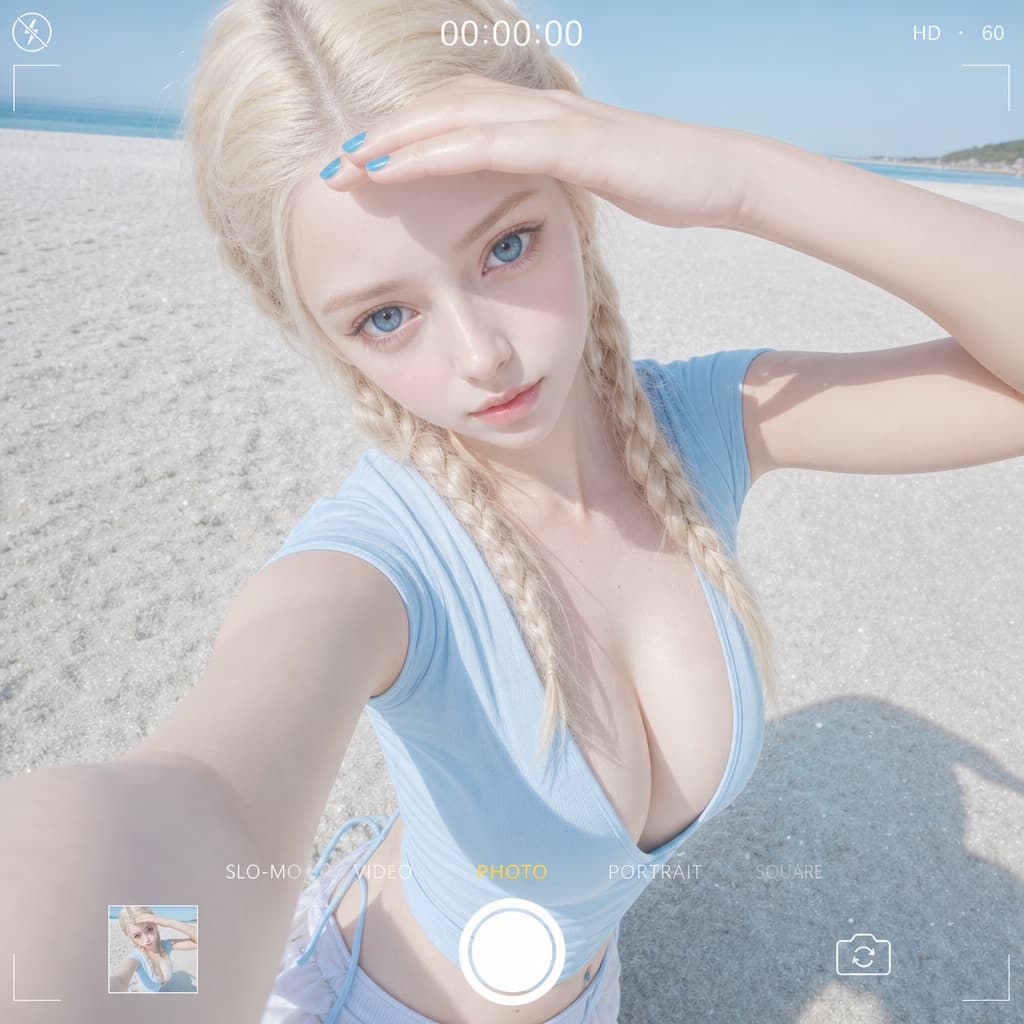
Image generated by us with gpt-image-2. Prompt by @IamEmily2050
Prompt
Camera & composition: [DEVICE] front-facing selfie camera, 24mm lens, high-angle POV (first-person perspective), computational photography style with a clear digital readout and deep depth of field.

Subject: porcelain-doll aesthetic with flawless pale skin, huge ice-blue eyes, a small nose, and slightly upturned natural-colored lips. Expression is blank and hollow, with a wide-eyed stare directly into the camera. Styling includes platinum-blonde tight double braids and vibrant blue nail polish. Clothing is a light blue tight stretch-cotton top with an extremely deep, ultra-wide V-neck that exposes the collarbone and neckline. The subject tilts her head up toward the camera while shielding the glaring sunlight with one hand.

Environment & lighting: a vast sandy beach with a blurred horizon in the background; high-key bright coastal daylight at 5500K color temperature, strong reflective fill from white sand, and even overall illumination. Skin appears slightly dewy and poreless, with fine reflective sand particles visible in the foreground.

Technical constraints: soft pastel color palette, linear neutral color grading, high exposure. Negative prompts: avoid heavy shadows, snow, winter clothing, red nail polish, black tops, conservative necklines, and film grain.
1 placeholder still empty. Copied as is, the generator will draw the brackets literally inside the image.
Editable variables
Change any value and the prompt rewrites above. Copy the finished result.
The smartphone model used to simulate the front-camera selfie aesthetic.
Generate the image here
With your own OpenAI key. Free for us, and what you spend is yours.
Kept in this browser only and sent straight to OpenAI's API: it never passes through a server of ours, because there is no server of ours in between. Check it yourself in the network tab.
Fill in the remaining variables before generating, or the model will draw the brackets.