Luxury Sneaker Editorial Grid
Nine-cell high-fashion editorial grid showcasing a luxury leather sneaker through heritage, innovation and surreal visual concepts.
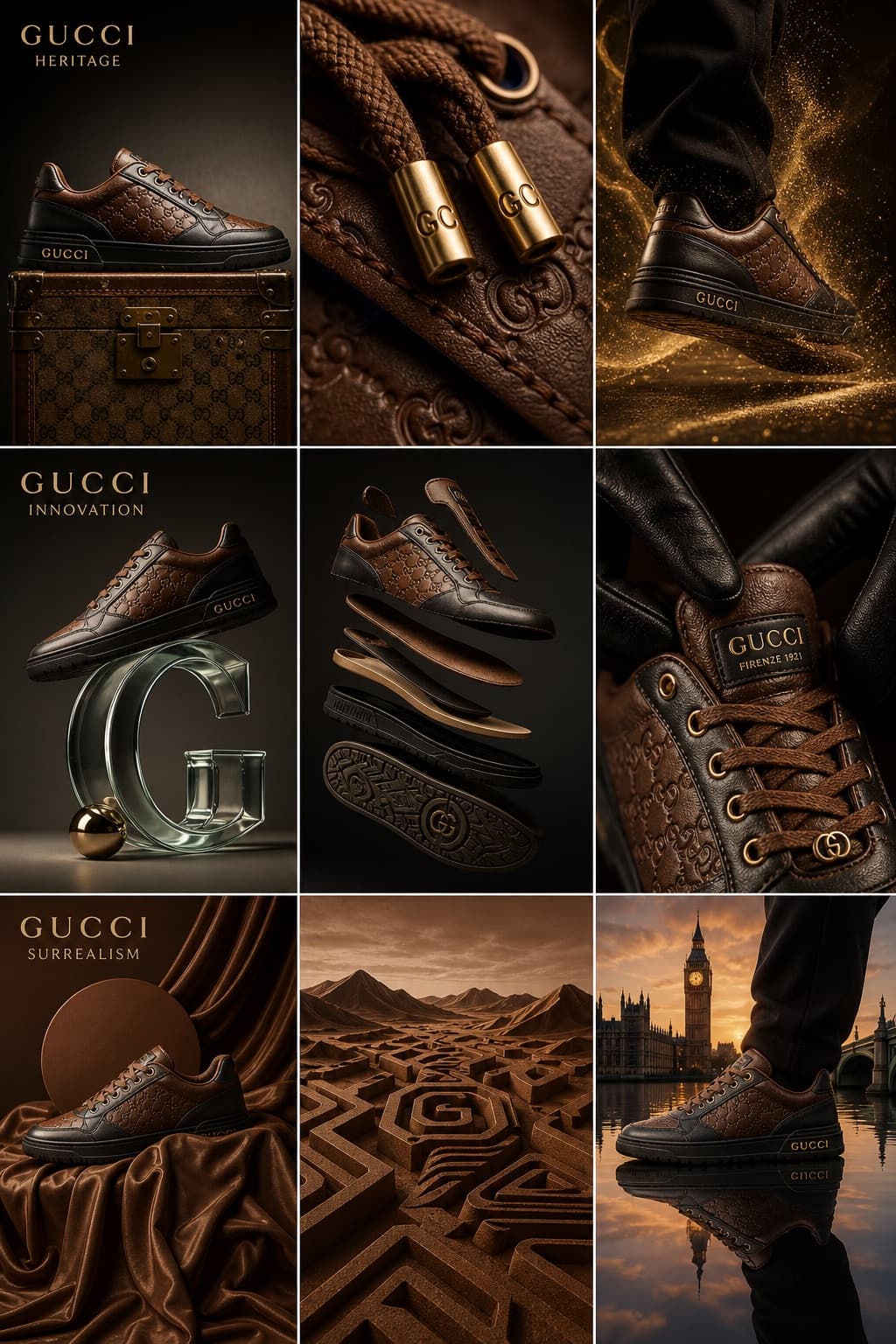
Image generated by us with gpt-image-2.
Prompt
Luxury leather sneaker campaign for [BRAND]. High-fashion editorial, avant-garde aesthetic. Aspect ratio 3:4.

Materials: full-grain calf leather, monogram-embossed canvas, polished gold hardware.
Color palette: cognac brown, deep obsidian, champagne gold.
Lighting: high-contrast chiaroscuro with soft-box key lighting.

Nine-cell editorial grid:

Row 1, Heritage:
- Hero side-profile: sneaker resting on a vintage [BRAND] trunk, side-lit to reveal the leather grain texture.
- Extreme macro close-up: gold-tone monogram lace aglets stamped with [BRAND_INITIALS] and precision stitching detail.
- Dynamic shot: gold dust particles swirling around the sole as the shoe steps into frame.

Row 2, Innovation:
- Minimalist: sneaker balanced on top of an abstract, floating glass letter-shaped sculpture.
- Floating deconstructed view: sole and upper suspended in a void.
- Sensory: a gloved hand adjusting the tongue, highlighting the softness of the leather.

Row 3, Surrealism:
- Monochromatic scene in a rich signature brown with liquid silk drapes.
- Abstract: rubber sole pattern reimagined as a geometric desert landscape.
- Fusion: sneaker walking on a mirror-still lake reflecting a [CITY] sunset skyline.
4 placeholders still empty. Copied as is, the generator will draw the brackets literally inside the image.
Editable variables
Change any value and the prompt rewrites above. Copy the finished result.
The luxury fashion brand featured in the campaign.
Short engraved lettering representing the brand's monogram on the hardware.
City whose skyline appears reflected in the surreal closing shot.
Generate the image here
With your own OpenAI key. Free for us, and what you spend is yours.
Kept in this browser only and sent straight to OpenAI's API: it never passes through a server of ours, because there is no server of ours in between. Check it yourself in the network tab.
Fill in the remaining variables before generating, or the model will draw the brackets.