Levitating Product in the Void
A hyper-realistic 3D render of a product floating in a pure black void with chrome and metallic textures, dramatic rim lighting, and iridescent highlights.
Budget models do not render typography reliably; this case needs a higher tier.
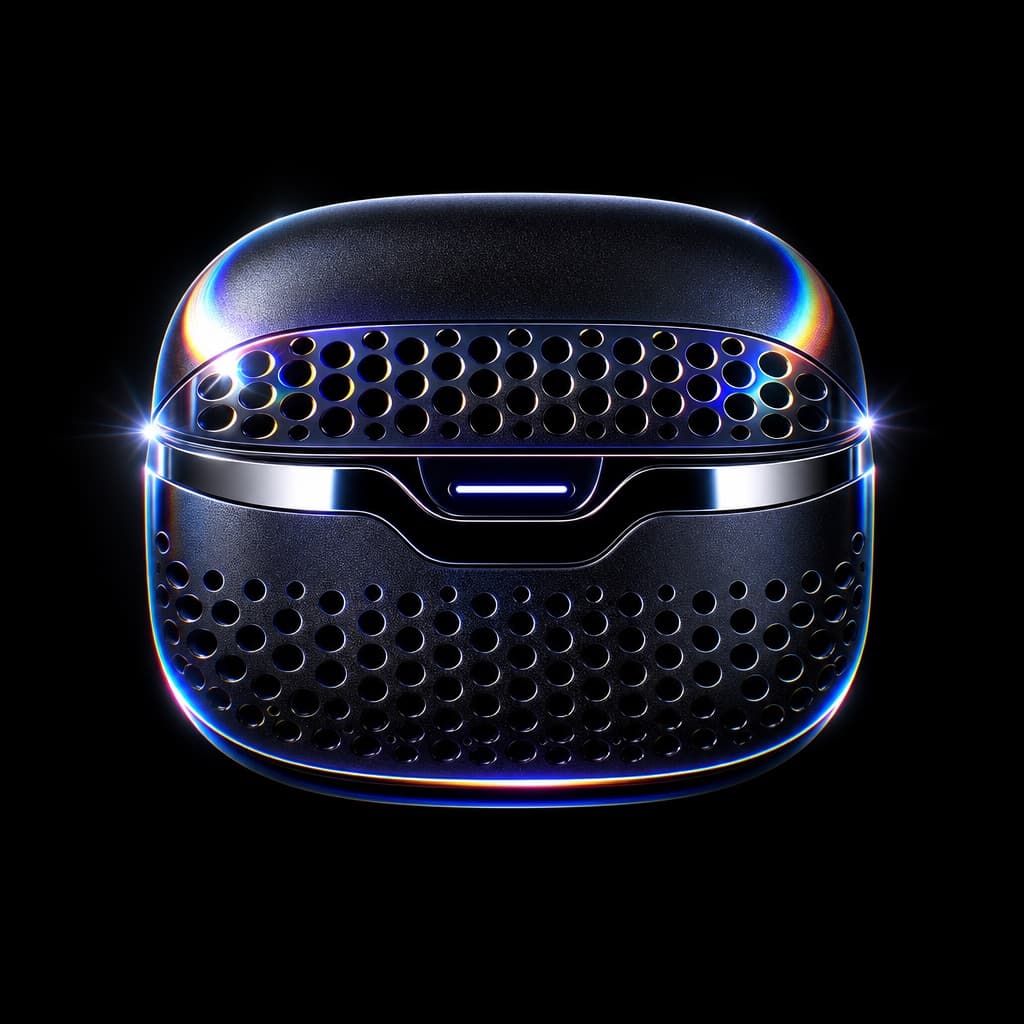
Image generated by us with gpt-image-2. Prompt by @lloydcreates
Prompt
Hyper-realistic 3D render of [PRODUCT_NAME] floating and levitating in the absolute center of a pure black void, fully visible with generous padding and no cropping. The product features an anodized obsidian metal finish with microscopic grit texture, blended with high-gloss fluid chrome accents and a precision-machined hemispherical lattice venting pattern inspired by premium computer hardware design. Add monatomic light dispersion, prismatic diffraction on the edges, and an ethereal holographic sheen. Lighting is hard rim lighting with chiaroscuro, high contrast, sharp specular highlights, and no ambient fill, using a palette of pure black, [ACCENT_COLOR], and spectral iridescent rainbow highlights from thin-film interference. Rendered in ultra-detailed 8k cinematic quality with ray-traced reflections and dramatic studio-grade lighting. Exclude any visible lighting equipment, stands, pedestals, platforms, text, watermarks, props, surface reflections, floor, shadows, logos, or cluttered background.
2 placeholders still empty. Copied as is, the generator will draw the brackets literally inside the image.
Editable variables
Change any value and the prompt rewrites above. Copy the finished result.
The product to render floating in the void.
The accent color used in the lighting and highlights.
Generate the image here
With your own OpenAI key. Free for us, and what you spend is yours.
Kept in this browser only and sent straight to OpenAI's API: it never passes through a server of ours, because there is no server of ours in between. Check it yourself in the network tab.
Fill in the remaining variables before generating, or the model will draw the brackets.