Golden hour product still life
A luxury studio still life of a cosmetic product on natural surfaces with mirror reflections and warm filtered light.
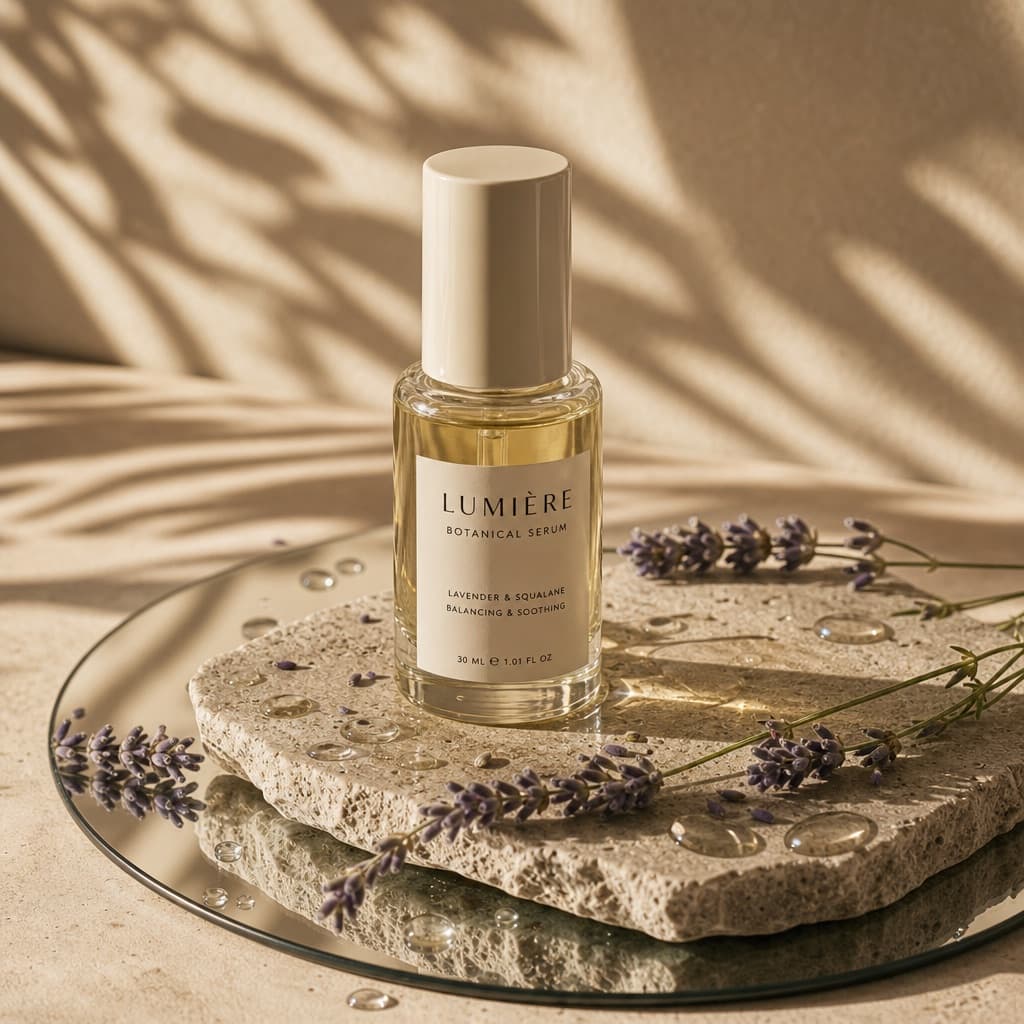
Image generated by us with gpt-image-2. Prompt by @Kerroudjm
Prompt
A high-end editorial studio photograph of a [PRODUCT_FORM], made of [MATERIAL] with a [COLOR] [DETAIL]. The product is placed on a natural, textured [BASE_SURFACE] slab, itself resting on a round mirror laid on a [SURFACE_TONE] surface. Around the mirror and on the slab are scattered droplets of [LIQUID] with realistic reflections. A few sprigs of [DECORATIVE_ELEMENTS] lie gently across the slab and mirror, connecting both surfaces naturally. Strong, warm sunlight filters from the top left, casting soft diagonal leaf shadows to simulate filtered daylight. The aesthetic is [VISUAL_STYLE], with realistic materials and natural textures highlighted by golden hour tones. Style: 3D realism, luxury product photography, shallow depth of field. Format: 1:1, ultra-detailed.
9 placeholders still empty. Copied as is, the generator will draw the brackets literally inside the image.
Editable variables
Change any value and the prompt rewrites above. Copy the finished result.
The physical form of the product being photographed
The material the product container is made of
The colour of the product's cap, texture or label
The product feature that carries the colour
The textured natural slab the product rests on
The tone of the surface beneath the mirror
The liquid scattered in droplets around the scene
The natural decorative elements laid across the slab
The overall visual mood of the composition
Generate the image here
With your own OpenAI key. Free for us, and what you spend is yours.
Kept in this browser only and sent straight to OpenAI's API: it never passes through a server of ours, because there is no server of ours in between. Check it yourself in the network tab.
Fill in the remaining variables before generating, or the model will draw the brackets.