Furniture Product Sheet Layout
A split-view technical showcase displaying table perspectives and material swatches for a professional furniture catalog sheet.
Budget models do not render typography reliably; this case needs a higher tier.
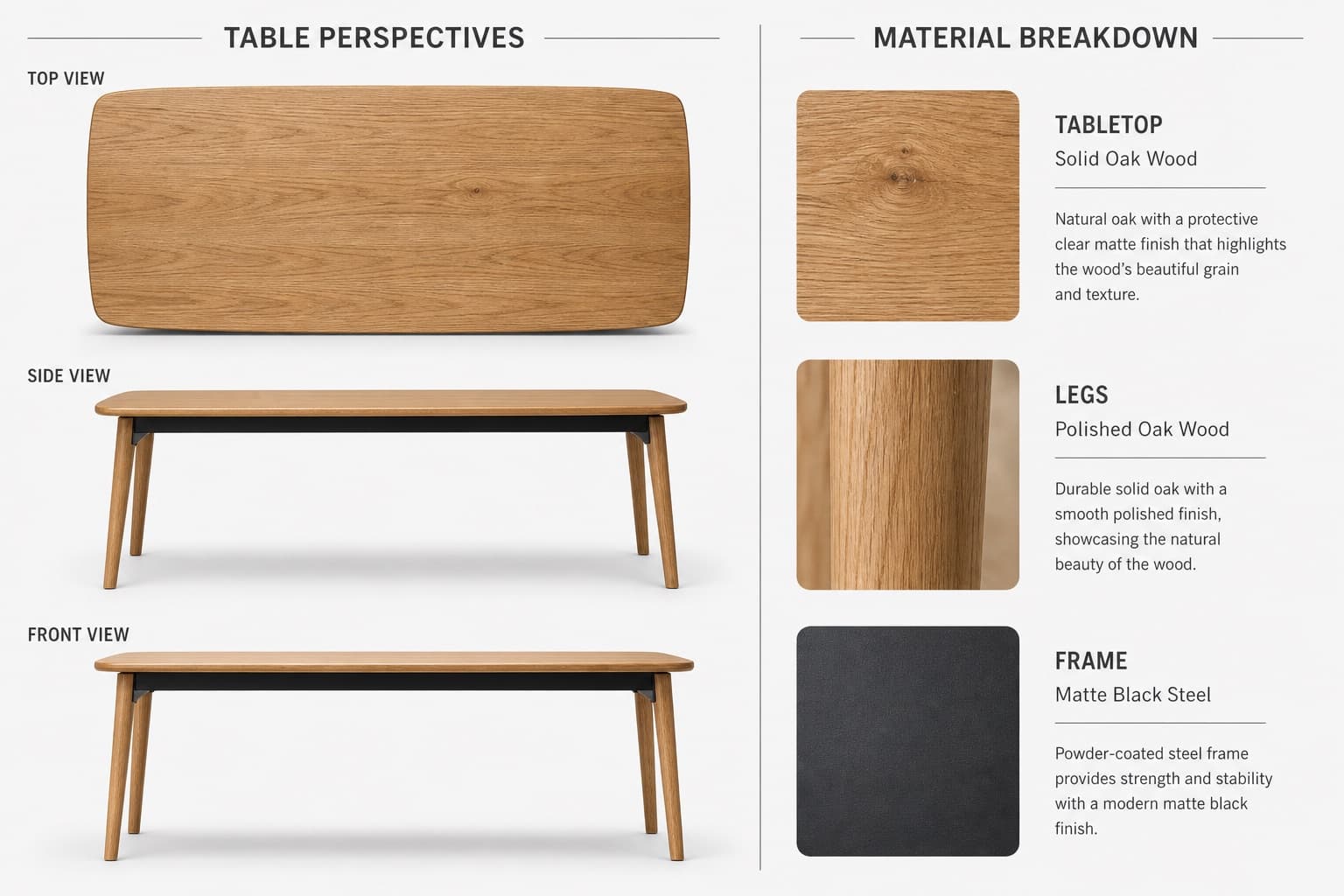
Image generated by us with gpt-image-2.
Prompt
Create a high-quality, realistic 3D product showcase for a table using a split-view layout with a 3:2 or 4:3 aspect ratio, set against a neutral light gray or white background.

Left side — Table Perspectives:
- Top-down view: full tabletop shape, surface texture, and edge details
- Side view: leg design, table height, and tabletop thickness
- Front view: width, symmetry, and leg alignment
Use consistent lighting with subtle shadows for realism.

Right side — Material Breakdown:
- Tabletop: [WOOD_TYPE], with a close-up wood texture swatch and a clean sans-serif label
- Legs: [LEG_MATERIAL], with a material texture swatch and consistent labeling
- Frame: [FRAME_COLOR] steel, with a small metallic texture swatch and minimalist annotation

Separate the two sections with a vertical dividing line or a subtle split background. Use natural tones for the materials and grayscale for the backgrounds and lines. Use a modern, readable font for labels and section titles. Output as a high-resolution image suitable for a product sheet, interior design catalog, or furniture showcase.
3 placeholders still empty. Copied as is, the generator will draw the brackets literally inside the image.
Editable variables
Change any value and the prompt rewrites above. Copy the finished result.
The wood material used for the tabletop surface shown in the swatch.
The material used for the table legs shown in the material breakdown.
The finish color of the steel frame shown in the material breakdown.
Generate the image here
With your own OpenAI key. Free for us, and what you spend is yours.
Kept in this browser only and sent straight to OpenAI's API: it never passes through a server of ours, because there is no server of ours in between. Check it yourself in the network tab.
Fill in the remaining variables before generating, or the model will draw the brackets.