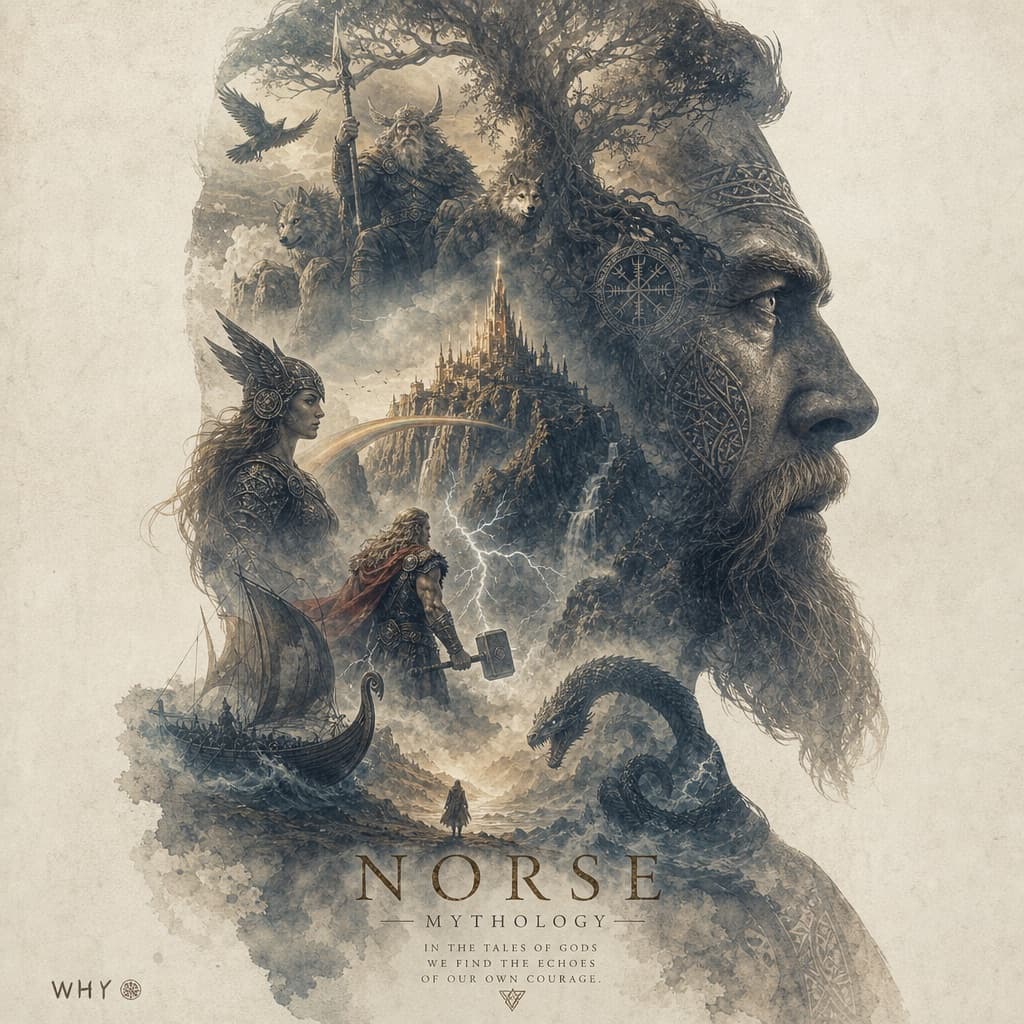
Epic Team Silhouette Poster
A cinematic double-exposure poster fusing a team's heroic silhouette with symbolic elements in an epic, fateful tone.
Budget models do not render typography reliably; this case needs a higher tier.

Image generated by us with gpt-image-2. Prompt by 小红书号2692926140
Prompt
Generate a highly finished, epic-feeling art poster with a double exposure composition on a cream/off-white background. Team: [TEAM_NAME]. A large silhouette of [SUBJECT] occupies the main body of the composition, with [ELEMENT_1], [ELEMENT_2], [ELEMENT_3], [ELEMENT_4], and [ELEMENT_5] fused inside the silhouette. The overall color palette is dominated by [PRIMARY_COLOR] and earthy ochre/brown tones, evoking an oppressive, resolute, and strongly fatalistic mood. Keep the elements minimal and uncluttered, with generous negative space. Apply a printed grain texture throughout. Avoid overly sharp details on the elements, but maintain an epic, cinematic quality — like an official theatrical animated feature film poster. Vertical/portrait orientation. If any text appears in the image, it should use a thin/light-weight typeface.
8 placeholders still empty. Copied as is, the generator will draw the brackets literally inside the image.
Editable variables
Change any value and the prompt rewrites above. Copy the finished result.
The name of the sports team featured on the poster.
The figure whose large silhouette dominates the composition.
First symbolic visual element fused inside the silhouette.
Second symbolic visual element fused inside the silhouette.
Third symbolic visual element fused inside the silhouette.
Fourth symbolic visual element fused inside the silhouette.
Fifth symbolic visual element fused inside the silhouette.
The dominant color of the poster's palette alongside earthy ochre tones.
Generate the image here
With your own OpenAI key. Free for us, and what you spend is yours.
Kept in this browser only and sent straight to OpenAI's API: it never passes through a server of ours, because there is no server of ours in between. Check it yourself in the network tab.
Fill in the remaining variables before generating, or the model will draw the brackets.