Custom Block House Set
Realistic tabletop photo of a custom building block house set with figures, car, and branded packaging in a living room.
Budget models do not render typography reliably; this case needs a higher tier.
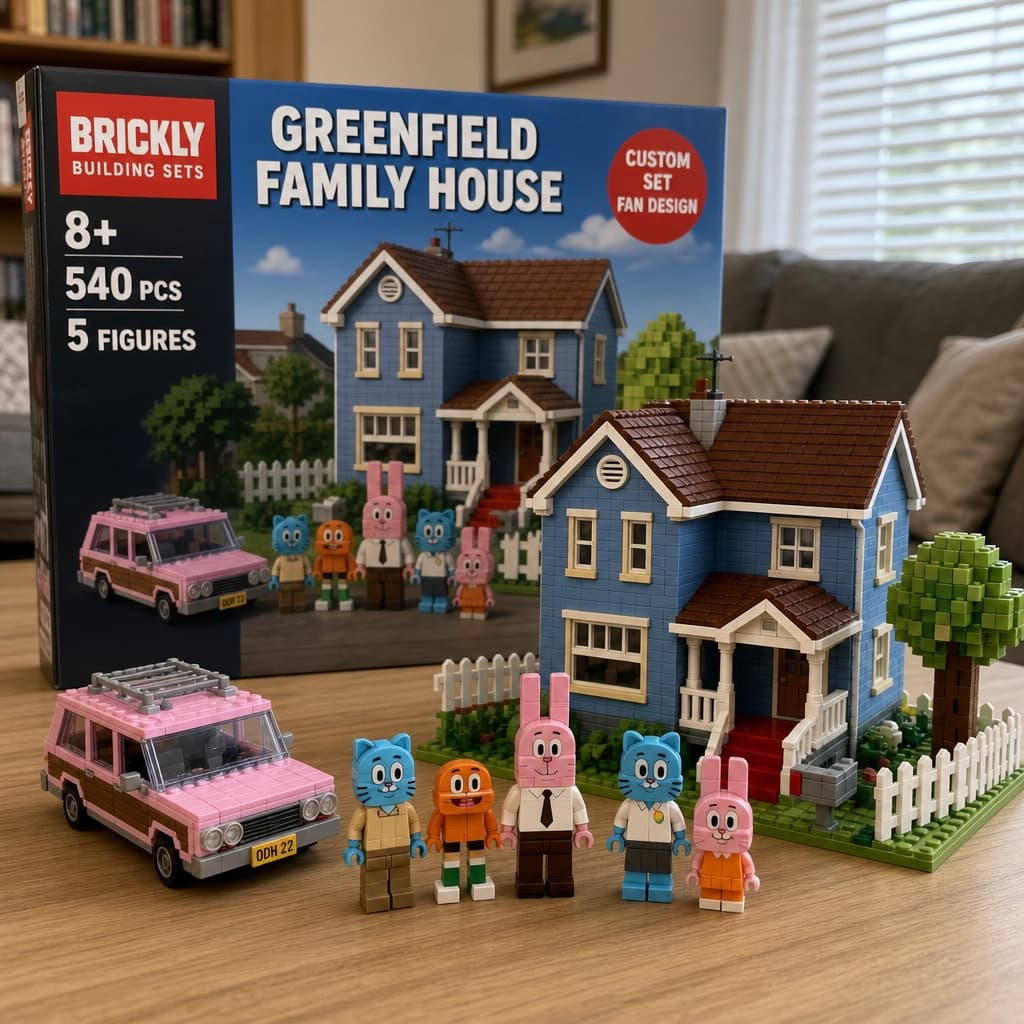
Image generated by us with gpt-image-2. Prompt by @Gc_qube
Prompt
A photorealistic amateur-style photograph of a custom building block set resting on a light wood-grain table in a living room. In the background stands a large product box with a red logo reading "[BRAND] BUILDING SETS". The box features text reading "8+", "540 PCS", "5 FIGURES", and a large main title reading "[SET_TITLE]". A red circular badge on the box reads "CUSTOM SET FAN DESIGN", and the box art depicts a house and characters under a blue sky. In the foreground sits a fully assembled block model of a [HOUSE_COLOR] two-story suburban house with a brown roof, white porch, red steps, a white picket fence, and a blocky green tree. To the left of the house is a built block model of a [CAR_COLOR] station wagon. Standing in a row in front of the house are exactly 5 custom block minifigures: a blue cat in tan pants, an orange fish with legs, a tall pink rabbit in a white shirt and tie, a blue cat in a white shirt, and a small pink rabbit in an orange dress. The background is a slightly blurred living room with a grey sofa and white blinds.
4 placeholders still empty. Copied as is, the generator will draw the brackets literally inside the image.
Editable variables
Change any value and the prompt rewrites above. Copy the finished result.
Fictional brand name printed on the building block product box.
Main title of the block set printed prominently on the product box.
Color of the assembled block house's walls in the foreground.
Color of the block station wagon placed beside the house.
Generate the image here
With your own OpenAI key. Free for us, and what you spend is yours.
Kept in this browser only and sent straight to OpenAI's API: it never passes through a server of ours, because there is no server of ours in between. Check it yourself in the network tab.
Fill in the remaining variables before generating, or the model will draw the brackets.