Anime Key Animation Layout Sheet
A detailed anime production layout sheet featuring a stylized character sketch with annotated margins, timing notes, and background details in traditional genga style.
Budget models do not render typography reliably; this case needs a higher tier.
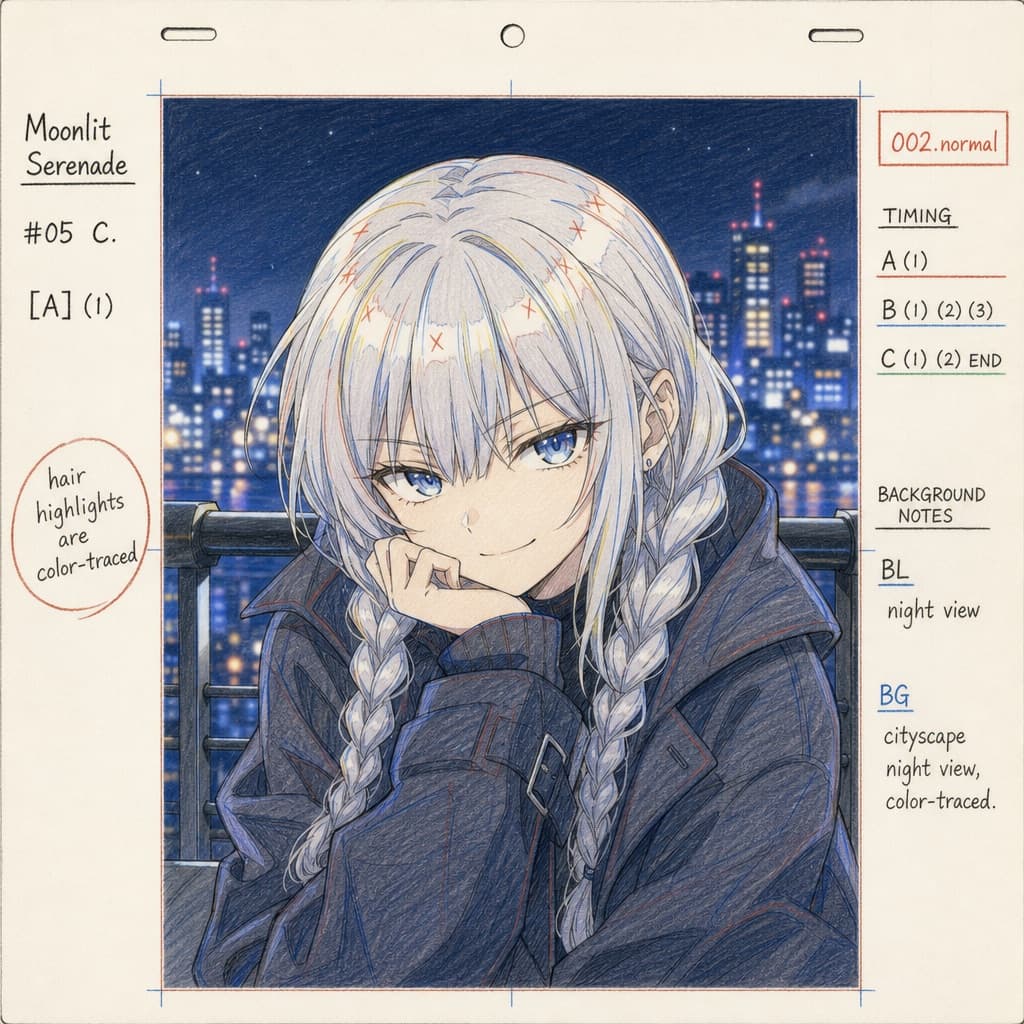
Image generated by us with gpt-image-2. Prompt by @Gc_qube
Prompt
Create an anime production layout sheet in the traditional colored pencil genga (key animation drawing) style. The subject is [CHARACTER_NAME], an anime girl with [HAIR_COLOR] hair styled in twin braids with bangs, blue eyes, and wearing a dark oversized coat, posed with a [EXPRESSION] expression. The background depicts [BACKGROUND_SCENE], rendered in soft focus. The layout includes: standard animation paper peg holes along the top edge; on the left margin, the series title '[ANIME_TITLE]', production codes '#05 C.' and '[A] (1)', and a circled handwritten note reading 'hair highlights are color-traced' in [LANGUAGE]; on the right margin, a red box labeled '002.normal', timing layers labeled 'A (1)', 'B (1) (2) (3)', and 'C (1) (2) END', and background notes reading 'BL night view' and 'BG cityscape night view, color-traced' in [LANGUAGE].
7 placeholders still empty. Copied as is, the generator will draw the brackets literally inside the image.
Editable variables
Change any value and the prompt rewrites above. Copy the finished result.
The name of the fictional anime character depicted in the layout sheet.
The color of the character's hair.
The facial expression and pose of the character.
The setting or scenery shown in the background of the sketch.
The title of the anime series shown on the layout sheet margin.
The language in which all text, labels, and handwritten notes inside the image should be rendered.
Generate the image here
With your own OpenAI key. Free for us, and what you spend is yours.
Kept in this browser only and sent straight to OpenAI's API: it never passes through a server of ours, because there is no server of ours in between. Check it yourself in the network tab.
Fill in the remaining variables before generating, or the model will draw the brackets.